


Download a YouTube video
Save an available source on your computer. Learn about sign-in, formats and limitations.
 Download
 available YouTube videos, find interesting moments and create captioned clips. VDS Shorts Factory runs on your computer.
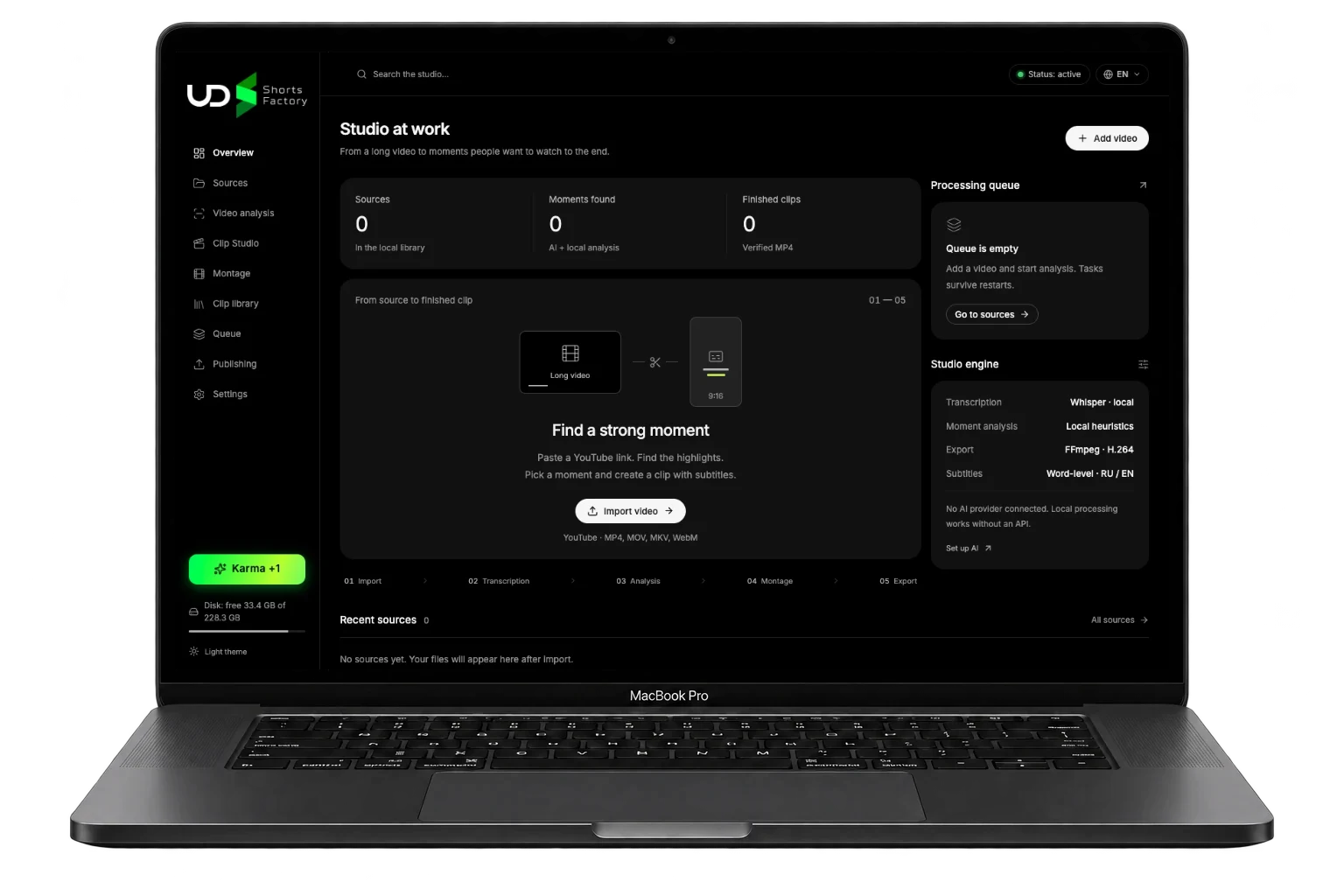
Turn your own footage into Shorts, Reels or TikTok videos. You decide which moments to keep.
Import, highlights, captions and editing in one local studio.
Whisper transcribes speech on your computer. Local analysis suggests timestamped moments. Review the context, adjust the boundaries or create a clip manually.
Connect OpenAI or Gemini with your own key and consent to sharing material. ElevenLabs can generate music and revoice recognized words. Provider charges may apply.
Save an available YouTube source or import a file. Use material you have the necessary rights to process.
Face tracking, center crop, manual positioning or the original frame over a blurred background.
Word-level captions, styling and manual text corrections. Export SRT and ASS files too.
Trim and join segments. Generate up to 100 selected clips per operation and download a ZIP.
Upload and schedule finished MP4s. Requires Google OAuth, a connected channel and the OpenAI API for publishing text.
No mandatory cloud editor subscription. Sources and rendered files stay on your computer.
Download the macOS app, or choose the command installer for your system.
The macOS app includes its dependencies. Installation from source downloads Python, FFmpeg and Node.js; setup time depends on your computer and connection.Install from source and open the studio in your browser. This is a separate option; you do not need it after installing the DMG.
Open Terminal, paste the command and press Enter.
curl -fsSL https://raw.githubusercontent.com/uladzislaududarau/vds-shorts-factory/main/install.sh | bashApple Silicon (M1 or later) or Intel. About 5 GB for the app, plus space for videos.
Open PowerShell, paste the command and press Enter.
irm https://raw.githubusercontent.com/uladzislaududarau/vds-shorts-factory/main/install.ps1 | iexWindows 10 or 11, 64-bit, Intel/AMD. About 5 GB for the app, plus space for videos.
Open Terminal, paste the command and press Enter.
curl -fsSL https://raw.githubusercontent.com/uladzislaududarau/vds-shorts-factory/main/install.sh | bashx86_64 or ARM64, glibc 2.28+. For example, Ubuntu 20.04+ or Debian 10+. About 5 GB, plus space for videos.
Yes. VDS Shorts Factory uses the MIT license. Local transcription, basic highlight detection, editing and export need no cloud editor subscription. External AI APIs may cost extra.
Yes, if the source is available to you. Some videos require signing in through the studio’s Chrome profile. The app does not bypass DRM, paid access or regional restrictions. Respect rights and platform terms.
Not for the basic local workflow. Optional cloud analysis uses your API key and the provider’s billing. A ChatGPT subscription does not replace an API key.
Yes. Once dependencies and the Whisper model are downloaded, local files can be processed without cloud AI. YouTube downloads, external integrations and publishing need internet access.
Yes. The app transcribes speech and suggests moments within your chosen duration range. Review the context and adjust boundaries manually. Results depend on the source.
Yes. Local Whisper recognizes words and timestamps. Correct text and choose a style in Clip Studio, then export MP4, SRT or ASS. Check recognition before publishing.
Supports Apple Silicon or Intel Macs, Windows 10/11 x64, and Linux x86_64/ARM64 with glibc 2.28+. Allow about 5 GB plus video storage. Apple Silicon uses MLX Whisper; other systems transcribe on the CPU.
MP4 files go to data/renders and ZIP archives to data/exports inside the app folder. Download or reveal the file from its finished queue task. Render again after edits; existing MP4 files do not update themselves.
Practical guides to the app’s actual features.
Save an available source on your computer. Learn about sign-in, formats and limitations.
Find highlights, review clips and choose a vertical crop.
Transcribe speech locally, correct words and export captioned videos.